Price the proposal before
you write the proposal.
Docs Estimator lives in the Google Docs sidebar. Set the scope, attach a client, price the line items, then insert or export a polished proposal without opening a spreadsheet.
30-day free trial · No payment method required · Works inside any Google Doc
Built for the sidebar, not a second app.
No separate dashboard. Docs Estimator opens next to the document you're already writing.
Scope, in one card
Title, notes, and scope summary live in one setup card, with an active-scope indicator so you always know which proposal is live.
Client records
Attach an existing client or create one on the spot. No re-typing a company name for the fifth proposal in a row.
Reusable templates
Save a proposal structure once and start every future estimate from it instead of a blank sidebar.
CSV import & export
Bring in pricing from a spreadsheet you already maintain, or export an estimate to share with finance.
Pricing controls
Set currency, UOM, quantity, rate, item discounts, tax, proposal discounts, custom fields, rounding, extra charges, business details, and proposal validity.
Polished output
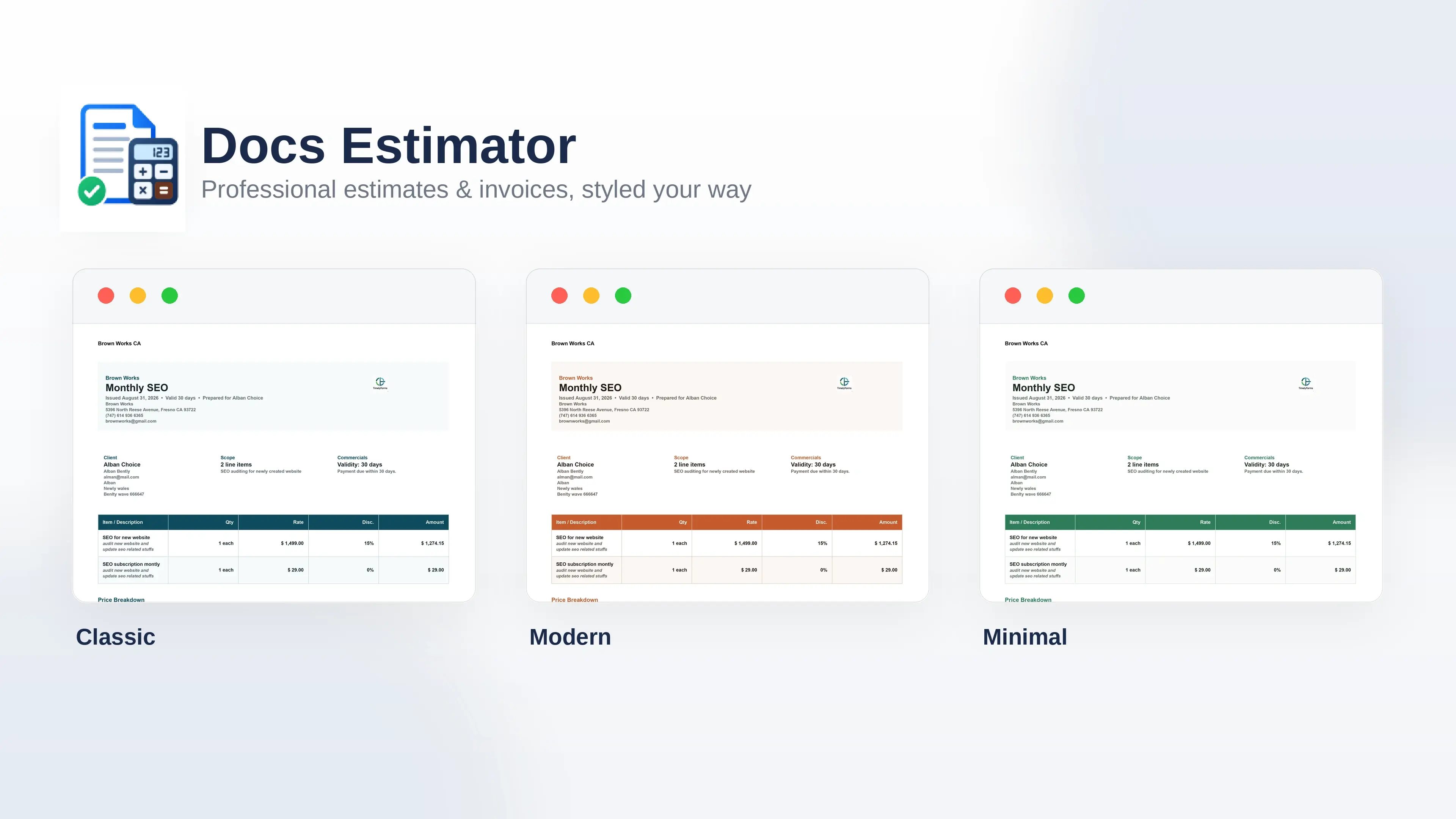
Choose Modern, Professional, Classic, or Minimal styling, then insert into Docs or export a PDF for sending.
Three steps, no new tab.
Set the scope
Title the proposal and write the scope summary. The active-scope indicator keeps you on the right draft.
Attach a client
Pick a saved client or create one in seconds, including the contact, company, and address details you need.
Insert and send
Insert the formatted proposal into your open Google Doc, or export a PDF ready to send.
One plan. Everything included.
Every feature — Builder, client records, templates, and CSV import/export — is included from day one. No tiers to compare, no seats to count.
Billed monthly · cancel anytime
For freelancers, studios, and agencies who want one price and every feature.
- Unlimited proposals
- Client records
- Reusable template library
- CSV import & export
- Local-first drafts, nothing stored until you export
- Priority email support
Secure checkout · Visa, Mastercard, PayPal & more
30-day free trial · No payment method required · Cancel anytime
Docs Estimator, in plain answers.
What does Docs Estimator do?
It's a Google Workspace add-on that opens in the Docs sidebar. You fill in a proposal title, scope notes, and client, then insert a formatted proposal directly into the open document.
Where is my data stored?
Drafts, client records, and templates are stored locally in your browser. Your add-on preferences also save to your Google Apps Script user settings; billing uses a secure account service.
Can I reuse my own templates?
Yes. Save any proposal structure as a template from the Templates tab, then start future proposals from it instead of a blank scope.
Does it work with any Google Doc?
Yes. Open the add-on from the sidebar of any Google Doc you can edit, then insert the proposal without replacing the rest of your document.
Can I import pricing from a spreadsheet?
Yes, on every plan. Import a CSV of line items and pricing, or export a finished estimate to share outside the document.
How does billing work?
Docs Estimator is one flat plan: $4.99 billed monthly, or $44.91 billed yearly — a 25% saving over paying monthly. Every new user receives one 30-day free trial with no payment method required. After the trial, choose Monthly or Yearly. Checkout, receipts, and subscription management are handled securely by Paddle, our payment provider.
Can I cancel or switch between monthly and yearly billing?
Yes. Manage or cancel your subscription at any time from the receipt link Paddle emails you after checkout — changes take effect at the end of the current billing period.
Questions before you install?
Send us a message and we'll get back to you, usually within one business day.
- Email subaddons@gmail.com
- Support Same-day replies for active subscribers
- Sales Ask about team onboarding or billing questions